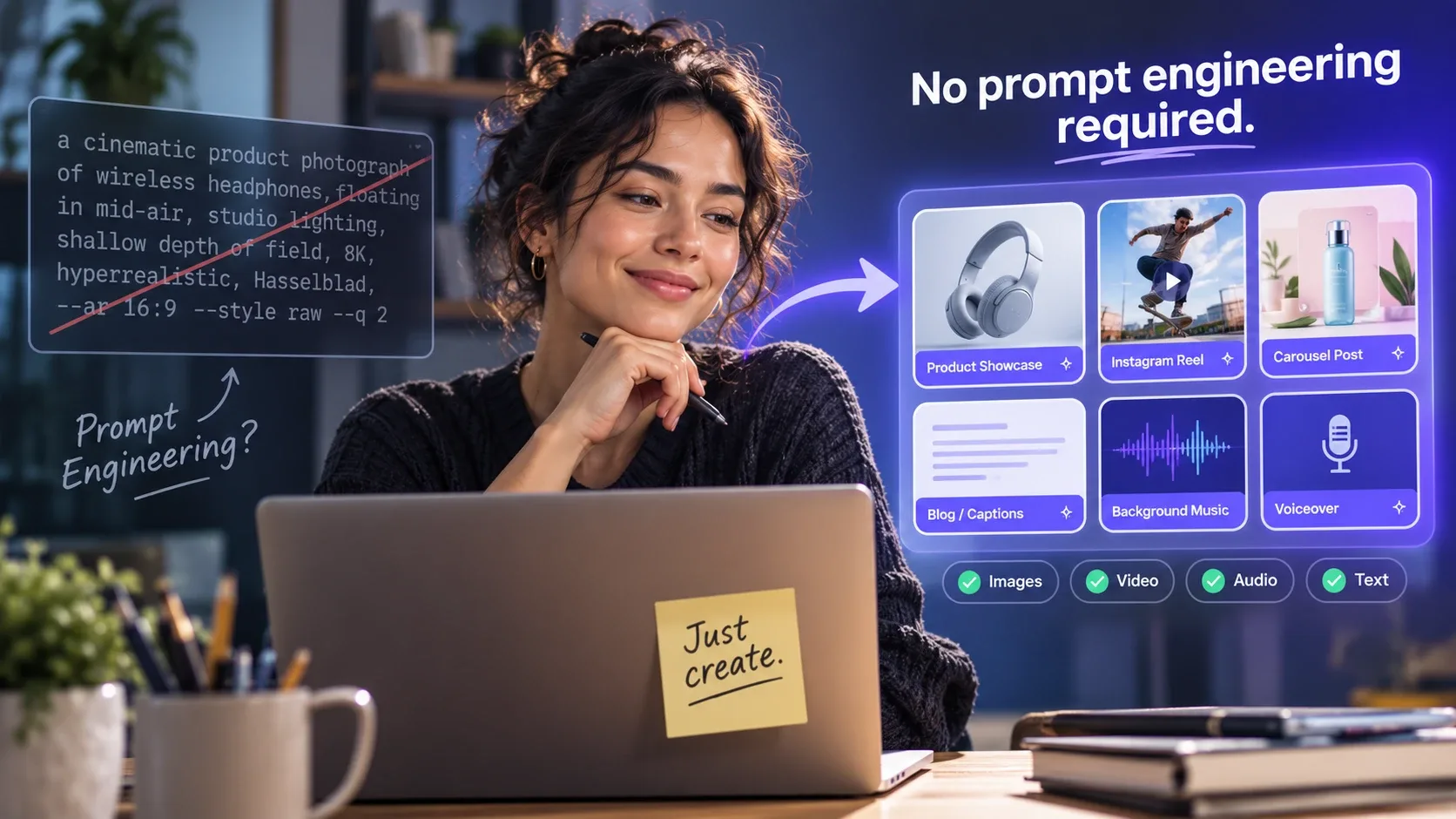
Here is the narrative that the AI tools industry has quietly settled on: the people getting the best results are the ones who've mastered prompting.
Learn the syntax. Understand the parameters. Study the model-specific vocabulary. Iterate obsessively. Become, in essence, a specialist in communicating with machines.
For a certain type of user - technically curious, time-rich, and genuinely interested in the craft of prompting - this is fine. For everyone else, it's a barrier that sits between them and the tools they want to use.
Here's what nobody in that narrative is saying clearly enough: you don't have to do any of that.
The Prompt Engineering Myth
Prompt engineering became a skill because it had to. Early AI tools were powerful but raw - they would produce exactly what you asked for, interpreted as literally as possible, with no scaffolding to help you ask the right thing.
The gap between "what you typed" and "what you wanted" was the prompt engineering problem. Getting reliable, high-quality outputs required learning to speak the model's language: adding the right descriptors, avoiding the wrong phrasings, understanding which parameters to tweak and in which direction.
That was a legitimate skill. In 2022, it was genuinely necessary.
But the tools have changed significantly, and the narrative hasn't caught up.
What's Actually Changed
Modern AI tools - especially when accessed through well-designed platforms - have abstracted most of the prompt engineering layer away. The technical syntax is still there, running in the background. But the user-facing interface has moved toward structured inputs, guided templates, and presets built around what actually works.
The prompt "a cinematic product photograph of wireless headphones, floating in mid-air, studio lighting, shallow depth of field, 8K, hyperrealistic, Hasselblad, --ar 16:9 --style raw --q 2" still exists. It's just already written, already tested, already embedded in a template called "product showcase."
You select the template. You input your product. The platform handles the rest.
This isn't a dumbed-down version of the tool. It's a more efficient interface to the same underlying capability - one that eliminates the translation step between creative intent and technical execution.
Why Templates Beat Prompts for Most Use Cases
There's a common objection here worth addressing: isn't a custom prompt more powerful than a template? Doesn't learning to prompt give you more control?
For edge cases and highly specific creative visions, yes. If you have a very precise image in mind that doesn't fit any existing format, writing a custom prompt from scratch is the way to get there.
But for the vast majority of content creation use cases - social media posts, product images, short-form video, blog visuals, promotional content - the output from a well-engineered template is consistently better than the output from an average user's first-attempt custom prompt.
This is because good templates are built on hundreds of iterations. They've been tested against the specific failure modes of each model. They encode knowledge about what the model responds to and what causes it to produce mediocre results. A creator using a strong template on day one gets better outputs than someone iterating on custom prompts for a week.
The learning curve for custom prompting is real, and the payoff at the end is real - but for most creators, the template route produces better results faster with no investment in a technical skill they don't particularly want to develop.
A Practical Framework for Prompt-Free AI Creation
If you want to use AI effectively without becoming a prompt engineer, here's the framework that actually works:
1. Choose a Platform With Built-In Templates, Not Just Model Access
There's a meaningful difference between a platform that gives you access to an AI model and a platform that gives you a structured workflow for using that model.
Raw model access - a text box, a generate button, and a blank prompt field - requires you to bring the prompting knowledge. A template-based platform brings it for you.
Look for platforms that have pre-built templates for the specific content formats you create. For social media creators, this means templates for Instagram Reels, TikTok clips, carousel posts, and YouTube thumbnails. For marketers, it means ad creative templates, product showcase formats, and brand visual presets.
Platforms like glown.ai are built specifically around this model - viral presets and creator templates across image, video, audio and text generation, so the prompt engineering is handled and you focus on the creative direction.
2. Define Your Inputs Clearly, Not Technically
The skill that actually matters in a template-based workflow isn't knowing AI syntax - it's being clear about what you want. That's a creative skill, not a technical one.
"A product image of my blue water bottle, clean and minimal, white background, lifestyle mood" is all the input a good template needs. You don't need to know that "lifestyle mood" translates to specific lighting parameters and compositional choices in the underlying prompt - the template handles that translation.
Being specific about your creative intent produces better outputs than understanding the technical syntax. Focus on what you want, not how to tell the AI to produce it.
3. Use the Right Tool for the Right Format
One reason creators struggle with AI outputs is using a text-to-image model for something that needs a video tool, or a general-purpose chatbot for something that needs a specialised writing assistant.
The tool-to-format match matters:
- Short-form social video → AI video generators (Kling, Runway, Seedance)
- Still images for feed posts → Image generators (Midjourney, Nano Banana)
- Blog and caption copy → Writing tools (Claude, ChatGPT)
- Background music for video → Music generators (Suno)
- Narration and voiceover → Voice synthesis (ElevenLabs)
Accessing all of these through one platform removes the tool selection overhead - you choose the content format, and the platform routes you to the right underlying tool.
4. Iterate on the Brief, Not the Prompt
When an output isn't quite right, the instinct is often to try to fix the prompt - adjust the syntax, add a descriptor, change a parameter. This is the prompt engineer's approach.
The template user's approach is different: refine the brief. Was the tone off? Was the subject description too vague? Did the template match the actual format you were going for?
Adjusting your creative brief - the human-readable description of what you want - and regenerating typically produces better results faster than trying to debug technical prompt syntax.
The Content That's Possible Without Prompting
To make this concrete, here's a realistic sample of what a creator can produce in a single session using a template-based workflow, with no prompting knowledge required:
- A week's worth of Instagram feed images with a consistent visual style
- Three Reels with background music, each under two minutes of production time
- A full set of captions for each piece of content, platform-formatted
- A carousel post with 8 slides, consistent visual design and structured copy
- A YouTube thumbnail for the week's video
Total time: approximately 90 minutes. Prompt engineering knowledge required: zero.
When Prompting Does Matter
This isn't an argument that prompt engineering has no value - it's an argument that it's not a prerequisite for effective AI content creation.
There are real advantages to developing prompting skills if you want to:
- Achieve very specific creative visions that don't fit standard templates
- Work directly with raw API access for technical integrations
- Push models into unusual or experimental territory
- Build custom workflows for highly specialised use cases
For those goals, investing in prompt engineering is worthwhile. For the majority of creators who want to produce high-quality, consistent content at scale - templates are the right tool, and prompting is an optional advanced skill rather than a mandatory entry requirement.
The barrier was never the AI. It was the interface. And the interface has improved.